Back from Prague

general

I am back from a week in Prague.
My 6th time there (my wife is czech) but the first time just for tourism.
Prague is awesome but prepare to walk a lot.

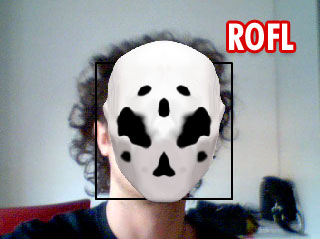
A picture to let you enjoy my best side :-D
praha

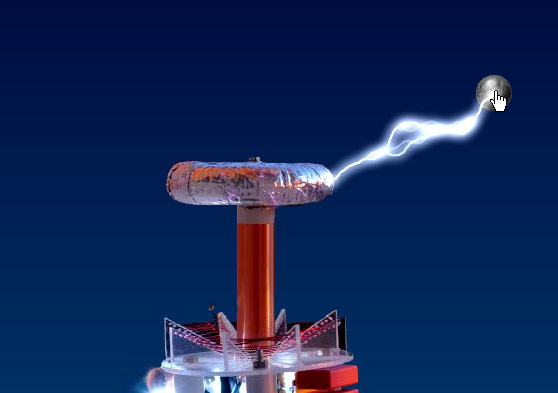
Got to get back to work now. And complete my lightning class.. which is almost done.
Posting soon.

No Comments

Actionscript 3 | Speedcoding video - session #1: Black Branches

BitmapData, Math, actionscript 3, algorithms, classes, fun, perlinNoise

Yesterday night I wanted to have some “no-purpose coding session” and thought it was a nice idea to record the session and do a speedcoding video. The original video has been collapsed from 45 minutes to 3 minutes circa.

The main concept is once again based on perlinNoise which (I am sure you already guessed) is something I do like very much. So please start call me “The PerlinNoise Guy” or “Perlinator”. :-D

So this is my first speedcoding video (be sure to look at it in high quality):

Here’s the interactive demo:

400
Click to launch. Move mouse (x position) to change smoothness (my favourite values are around 100)

The code consist on a Branch.as class file (click to download) and some timeline code to assemble the demo:

import com.oaxoa.fx.Branch;
 
const w:uint=stage.stageWidth;
const h:uint=stage.stageHeight;
 
var ct:ColorTransform=new ColorTransform(1,1,1,1,1,1,1);
var renderView:BitmapData=new BitmapData(w, h, true);
var bmp:Bitmap=new Bitmap(renderView);
addChild(bmp);
 
var tf:TextFormat=new TextFormat("_sans", 16, 0, true);
var label:TextField=new TextField();
label.width=400;
label.defaultTextFormat=tf;
addChild(label);
 
var timer:Timer=new Timer(10);
timer.addEventListener(TimerEvent.TIMER, ontimer);
timer.start();
 
function ontimer(event:TimerEvent):void {
	addNew();
}
function addNew():void {
	label.text="Smoothness: "+String(mouseX-w/2);
	var tt:Branch=new Branch(mouseX-w/2);
	tt.x=stage.stageWidth/2;
	tt.y=stage.stageHeight/2;
	tt.addEventListener(Event.COMPLETE, oncomplete);
	addChild(tt);
	renderView.colorTransform(renderView.rect, ct);
}
function oncomplete(event:Event):void {
	var t:Branch=event.currentTarget as Branch;
	var matrix:Matrix=new Matrix();
	matrix.translate(t.x, t.y);
	renderView.draw(t, matrix);
	removeChild(t);
	t.removeEventListener(Event.COMPLETE, oncomplete);
	t=null;
}

I didn’t forget about the lightning class part 3 that I will publish soon :)

As usual if you liked this drop a line in the comments.
Ciao

10 Comments

Actionscript 3 Lightning class - step 2

BitmapData, Math, actionscript 3, algorithms, fluids, fun, perlinNoise, simulation

The first rule for the good blogger I read 18 months ago (when I started this blog) was: “Never, ever post on Sunday… people coming back to the office on monday morning will find tons of weekend rss notifications and miss your post among them”.

But… since I am not a good blogger and since this blog is mine… I do post whenever I want :-D

Here we are with the second post dedicated to the lightning class I’m working on. It had to force myself to sit down here and write again about this, I am working on other 3 nice experiments and the fun part of this class for me has already gone, now starts the boring part: optimize/parametrize/explainize. But I think it could be interesting for someone, so here we are.

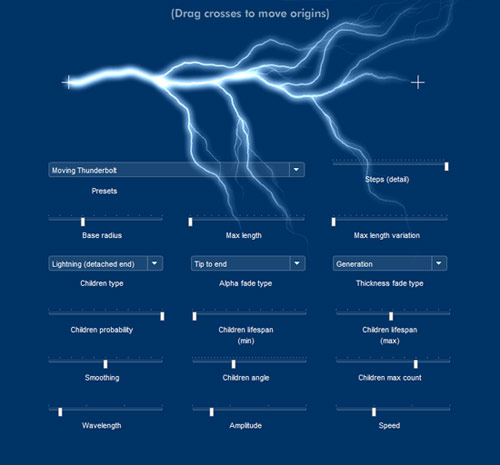
Still no code, I still have to optimize/parametrize but I can start to “explain-ize”. In the first post we just saw a couple of samples running. Some people asked me for the raw logic behind this.

The key here are two perlinNoise, one for simulate the macro behaviour and one for the micro variations. As often a monodimensional (1px height) perlinNoise is perfect to simulate bidimensional effects, since perlinNoise images contain an additional dimension defined by luminosity variations.

So, if from a 2D perlinNoise image you can easily get a 3D voxelTerrain (X+Y+Height), from a 1D image you can easily get for instance 2D mountains (X+Height).
1px height perlinNoise images are very fast to render so they do not kill your cpu even if many of them are used.

I have prepared two “debug” sample movies. The first is to show how the two perlinNoise bitmapDatas affect the movement of the final shape (children are disabled for clarity purpose).


Debug sample #1

As you can see there are 3 different grey bars under the lightning:

  • The first one is the perlinNoise used to displace the discharge on a micro scale
  • the second one for the macro movements (this is really what makes it feel as real)
  • the third one is the image merged onto the second one to smooth the edges.

Obviously the 3 bitmaps are 1 pixel height, I just stretched them here to 30px to make ‘em visible.

Speaking about perlinNoise edges smoothing this is the fact: without any smoothing the extremities of the perlinNoise have a random value between 0×000000 and 0xffffff which stand for black and white. Black value will displace the beam in a negative direction, white value will displace it in a positive direction. To be sure the edges are sticked to the x/y coords of the graphic that simulates the origin of the discharge, we need no displacement at the beginning and at the end.
No displacement=grey value (0×808080).

The easiest way to do this is to create a vector shape, fill it with a gradient (alphas=[1,0,0,1]), adjust ration accordingly to the smooth percentage and draw it onto the macro variations bitmap (Bitmap.draw(…)). Is off course possible to to this directly using bitmap methods. But I found this being the most natural for me. I like the idea to mix vector and bitmaps using the easiest way for what I need.

Naturally you cannot set the last pixels to medium gray without some smooth transition, and so we use the gradient. Check this sample with code snippet:


perlinNoise edges smoothing

const grey:uint=0x808080;
var smooth:Sprite=new Sprite();
var ratioOffset:uint=smoothPercentage/100*128;
smooth.graphics.beginGradientFill(GradientType.LINEAR, [grey, grey, grey, grey], [1, 0, 0, 1], [0, ratioOffset, 255-ratioOffset, 255], matrix);
smooth.graphics.drawRect(0, 0, w, 1);

I used the smoothing only on the macro bitmap, not one the micro too save some cpu cycle on a barely visible detail and because I like the micro variations on the edges too.

The second one shows the same concept applied also to children with a slider to vary the children birth probability:


Debug sample #2

The main beam can create bridges of electricity, or “children”. A child is simply another instance of the class with a “generationNumber” parameter to manage descendant probability and avoid infite recursion. All the rules described until now applies to children too. Children need to be sticked to the parent beam so they always have a non-variable smoothing of 50%.

Coming soon with part 3 and the full class.
As always leave a comment if you find something interesting.

10 Comments

Actionscript 3 Lightning class - First tests

Math, Physics, actionscript 3, advanced image editing, algorithms, fun, game, perlinNoise, simulation

Here again with the first test of a Fx class.

The class can render lightnings with these specs:

- different shapes and aspect
- variable edge-smoothness to keep the extremities sticked to the origin
- runtime children generation (every trunk can generate children)


Sample #1


Sample #2

Perhaps not that useful but could be nice to implement in some game or demo.
Code soon.

8 Comments

(Useless) Nightly delirium

actionscript 3, fun

Just some hypno-fun with drawing APIs:


Click to self-hypnotize

p.s.: this zoom back infinitely (more and more drawing API usage) so do not leave it run wildly or your cpu will burn :D

Code:

var w:Number=stage.stageWidth;
var h:Number=stage.stageHeight;
var steps:uint=5;
var stepAngle:Number=720/steps;
var div:Number=2;
var inita:Number=0;
var acc:Number=0;
 
function render(event:Event):void {
	acc+=1;
	div+=.02;
	inita+=.2;
	this.graphics.clear();
	this.graphics.beginFill(0);
	this.graphics.moveTo(w/2, h/2);
	var r:Number=1;
	var a:Number;
	var arad:Number;
	var i:int=0;
	while (r<1000) {
		if (div!=0) r+=r/div;
		a=inita;
		for (i=0; i<steps; i++) {
			a+=stepAngle;
			arad=a/180*Math.PI;
			this.graphics.lineTo(w/2+Math.cos(arad)*r, h/2+Math.sin(arad)*r);
		}
	}
}
addEventListener(Event.ENTER_FRAME, render);
2 Comments

My 25lines and tweetcoding contests entries (finally)

3D, BitmapData, Math, actionscript 3, algorithms, competitions, fun, morphing, perlinNoise, voxels

Hi there, back from an awesome week in Playa del Carmen Mexico… the most incredible vacation ever had. I’ll not post about this holiday (is or isn’t this a technical blog?). So in this last day before going back to work, I am here to post my 25lines contest and my four twittercoding entries.

25lines.com contest

Sadly 25lines.com is dying just after a couple of editions, I really enjoy this kind of stuff, but unfortunately after the first (december ‘08) edition entries count started to diminish. I am the one who contributed in this premature departure as I entered only the first contest and then was to busy to work to contributing again.

However this was what I came with:

/**
 * 25-Line ActionScript Contest Entry
 * 
 * Permission is hereby granted, free of charge, to any person obtaining a copy
 * of this software and associated documentation files (the "Software"), to deal
 * in the Software without restriction, including without limitation the rights
 * to use, copy, modify, merge, publish, distribute, sublicense, and/or sell
 * copies of the Software, and to permit persons to whom the Software is
 * furnished to do so, subject to the following conditions:
 * 
 * The above copyright notice and this permission notice shall be included in
 * all copies or substantial portions of the Software.
 * 
 * THE SOFTWARE IS PROVIDED "AS IS", WITHOUT WARRANTY OF ANY KIND, EXPRESS OR
 * IMPLIED, INCLUDING BUT NOT LIMITED TO THE WARRANTIES OF MERCHANTABILITY,
 * FITNESS FOR A PARTICULAR PURPOSE AND NONINFRINGEMENT. IN NO EVENT SHALL THE
 * AUTHORS OR COPYRIGHT HOLDERS BE LIABLE FOR ANY CLAIM, DAMAGES OR OTHER
 * LIABILITY, WHETHER IN AN ACTION OF CONTRACT, TORT OR OTHERWISE, ARISING FROM,
 * OUT OF OR IN CONNECTION WITH THE SOFTWARE OR THE USE OR OTHER DEALINGS IN
 * THE SOFTWARE.
 */
 
 /*
 25 lines Voxel Landscape Engine by Pierluigi Pesenti
 info@oaxoa.com
 http://blog.oaxoa.com/
 */
 
// 3 free lines! Alter the parameters of the following lines or remove them.
// Do not substitute other code for the three lines in this section
[SWF(width=512, height=400, backgroundColor=0x7ddafd, frameRate=31)]
stage.align = StageAlign.TOP_LEFT;
stage.scaleMode = StageScaleMode.NO_SCALE;
// 25 lines begins here!
var paletteMap:Array=[13209,13465,13722,14235,14492,14749,15262,15519,16032,16288,16545,17058,17315,17572,18085,18342,18855,19111,19368,19881,20138,20395,20908,21165,21678,21934,22191,22704,22961,23218,23731,23988,24501,24757,25014,25527,25784,26041,26554,26811,27324,27580,27837,28350,28607,28864,29377,29634,30147,30403,30660,31173,31430,31687,32200,32457,32970,33226,33483,33996,34253,34510,35023,35280,35793,36049,36306,36819,37076,37333,37846,38103,38616,38872,39129,39642,39899,40156,40669,40926,106975,3322853,6604267,9820402,13101816,16383487,16119793,15856100,15658199,15394506,15196605,14671798,14212528,13753258,13293987,12834973,12375703,11916433,11457162,10997892,10538878,10014072,9554801,9095531,8636261,8177247,7717976,7258706,6799436,6340165,5881151,5356345,4897075,4437804,3978534,3519520,3060250,2600979,2141709,1682439,1223425,1223169,1288706,1353987,1419524,1484804,1550341,1615878,1681159,1746695,1811976,1877513,1943050,2008330,2073867,2139148,2204685,2269965,2335502,2401039,2466320,2531856,2597137,2662674,2728211,2793491,2859028,2924309,2989846,3055126,3120663,3120664,3185945,3251481,3316762,3382299,3447836,3513116,3578653,3643934,3709471,3774751,3840288,3905825,3971106,4036642,4101923,4167460,4232997,4298277,4363814,4429095,4494632,4559912,4625449,4690986,4756267,4821803,4887084,4952621,5018158,5214768,5411635,5608501,5805112,6001979,6198845,6460992,6657858,6854725,7051592,7248202,7445069,7641935,7904082,8100949,8297815,8494426,8691292,8888159,9150562,9347172,9544039,9740905,9937516,10134383,10331249,10593396,10790262,10987129,11183996,11380606,11577473,11774339,12036486,12233353,12430219,12626830,12823696,13020563,13282966,13349274,13415583,13481892,13613736,13680045,13746354,13812663,13944763,14011072,14077381,14143690,14275534,14341843,14408152,14540253,14540253,14540253,14540253,14540253,14540253,14540253,14540253,14540253,14540253,14540253,14540253,14540253,14540253,14540253,14540253,14540253,14540253,14540253,14540253,14540253];
var offs:Array=[new Point(0,0),new Point(0,0),new Point(0,0),new Point(0,0)];
var bdHeight:BitmapData=new BitmapData(256*2,256,false);
var bdColor:BitmapData=new BitmapData(256*2,256,false);
var bdNoise:BitmapData=new BitmapData(256*2,256,false);
var bdOutput:BitmapData=new BitmapData(256, 256, false);
addChild(new Bitmap(bdOutput));
Bitmap(getChildAt(0)).scaleX=Bitmap(getChildAt(0)).scaleY=2;
addEventListener(Event.ENTER_FRAME, function(event:Event):void {
	offs[0].x=offs[1].x=offs[2].x=offs[3].x=offs[0].x-(256-mouseX)/20;
	offs[0].y=offs[1].y=offs[2].y=offs[3].y=offs[0].y+(200-mouseY)/20;
	bdHeight.perlinNoise(150, 150, 3, 5, false, true, 7, true, offs);
	bdColor.copyPixels(bdHeight, bdHeight.rect, new Point(0,0),bdHeight);
	bdHeight.threshold(bdHeight, bdHeight.rect, new Point(0,0), "<", 0xff555555, 0xff555555);
	bdNoise.perlinNoise(5, 5, 1, 5, false, true, 7, true, offs);
	bdColor.paletteMap(bdColor, bdColor.rect, new Point(), paletteMap, [], []);
	bdColor.draw(bdNoise, null, new ColorTransform(1,1,1,.2), BlendMode.OVERLAY);
	bdOutput.fillRect(bdOutput.rect, 0x7ddafd);
	for (var i:int=0; i<256; i++) {
		for (var j:int=0; j<256*2; j++) {
			for (var k:int=0; k<3; k++) {
				if (bdOutput.getPixel(256/2+(j-256)*(120/(120+i)),50+((-bdHeight.getPixel(j,i)/(0xffffff/125)+200)*(120/(120+i)))+k)==0x7ddafd) {
					bdOutput.setPixel(256/2+(j-256)*(120/(120+i)),50+(((-bdHeight.getPixel(j,i)/(0xffffff/125)+200)*(120/(120+i)))+k), bdColor.getPixel(j, i));
				} else {
					break;
				}
			}
		}
	}
});
// 25 lines ends here!

Which renders like this:

Yeah, yeah, know what u thinking: “He repacked the same old stuff of previous “voxels landscape” posts in 25 lines and submit to the contest! Booo”.
You’re right, but compacting that code in 25 lines was not that easy, and most of all this has dinamically generated map and not bitmap based like the voxels landscape post… lakes are rendered flat on the surface but still has depth gradients, there’s a noise filter on the surface to mimic lesser hue variations and the loss of speed compared to the “unpacked” version is visible but not drastical.

Tweetcoding

See the winners, runners-up and mentions here.

After preparing four tweetcoding entries (140 chars only) going back to 25 lines of code would feel like absolute freedom. 140 chars is less than a sms, and as3 is quite verbose for some things. Thankfully the other 140 chars of (common) gimmick code made this contest possible.

The gimmick code:

g=graphics;
mt=g.moveTo;
lt=g.lineTo;
ls=g.lineStyle;
m=Math;
r=m.random;
s=m.sin;
i=0;
o={};
function f(e){
// paste your 140 chars here
}
addEventListener("enterFrame",f);

Alien lifeform

Mouse interactive, move mouse left/right to change the shape.
Big part of the code used to cycle colors, if you wait some minutes you will see cycling all the rgb colors. Some shape displays really fun colors pattern.

a=mouseX;x=y=200;i+=.01;g.clear();for(c=600;c--;) {g.beginFill(c*i);d=m.sqrt(m.abs(s(i)*600-c))*8;g.drawCircle(s(1.6-c*a)*d,s(c*a)*d,c/50);}

Rotating black & white alien lifeform (variation)

Mouse interactive, move mouse left/right to change the shape.
Sacrified the color cycling and implemented a simple 3d spinning. All the color fill is black, with a single beginFill to display the NAND effect very trendy in this contest because very cheap.

This got a notable mention… ;-) thank you guys. However the first version with color cycling has been more challenging for me and is still my favorite.

a=mouseX/999;x=y=200;i+=.01;g.clear();g.beginFill(0);for(c=500;c--;) {d=m.sqrt(m.abs(s(i)*500-c))*8;g.drawCircle(s(i-c*a)*d,s(c*a)*d,c/50);}

Oh no! My f****** horn!

Not interactive. Just look at it if you like.
Not much to say here, just a credit to the movie “Tenacious D and the Pick of Destiny” for the title and inspiration.

i+=4;if(i<220) {m=addChild(new Sprite);m.rotationX=i*2;k=m.graphics;k.lineStyle(1);k.drawCircle(0,i,i/2);x=y=i;}rotationY+=2;rotationX+=.9

Numeric sequence spiral

Not interactive.
Ok, ok, the sequence sucks (multiples of 8 are displayed). Wanted to have a Fibonacci one but too much code needed for the sequence to leave some spare char for the spiral. Number are interval created and the place to form a 3D spiral which is sine spinning slowly.
Totally lame here cause numbers are continuosly created and never removed, so after a minute or so, better you close the window before looking at your CPU freezing ;-)

if(i%8==0) {t=addChild(new TextField);t.text=i;t.x=s(i/30)*i/4;t.y=s(1.6-i/30)*i/4;t.z=i/2;}rotationY=s(i++/99)*150;x=y=200

Don’t forget to leave a comment if you find this code and examples someway useful.
Ciaooooooooo

No Comments

Twitter account and #tweetcoding competition

competitions, general

After some time not posting, finally here again with a brand new twitter account:
http://twitter.com/pantaa

The main reason for which I registered with twitter was to have some fun with the guys @ the Tweetcoding challenge. The rules are simple and well explained here: http://gskinner.com/playpen/tweetcoding.html

Follow me on twitter if you whish. About the blog I’ll be posting soon some (more) serious stuff.

No Comments

Actionscript 3 - Koch snowflake generator (aka “The Broccoli generator”) and variations, with SVG export (aka “The Merry Christmas” post)

Math, actionscript 3, algorithms, fun

Nothing much to say here… I wanted to create some christmas themed swf and so I started to experiment with the fascinating (but kinda boring) Koch snowflake curve, and found it much more interesting setting some variable parameters to play with. (only octaves are fixed to five… you don’t really need more).


(Do not forget to play with parameters! (Flash Player 10 required))

I will not post the code now cause really needs a clean up, but if someone is interested just drop a comment and I will try to publish it in the next few days.

oh, almost forgot… Merry Christmas, happy holydays, good 2009 and bla bla.

4 Comments

28 days later (Formerly know as “the F*ck post”)

general

Hi there, sorry for not posting for a while. I am not in a lack of ideas, but in a lack of hands!
Yeah really… 28 days ago I wrote this draft, and never published it cause quite depressed an cause with one hand only I tried to stay afk as long as possible (but didn’t manage to do it… the only thing I managed to do has been working 12hrs a days to try to stay up with deadlines).

Sorry for the title, but this is me this morning.

F*ck!

My fifth finger broke yesterday night in an accident. Obviously my right hand had to be completely enclosed in this plaster cast, I’ve got two “free” fingers but they are so tight together that seem totally unuseful. Will have to keep it for a month and then if I am lucky (usually I am not), no chirurgical intervent will be needed.

Arghhh, cannot figure out a month without driving and 30days of one handed showers.

And, off course, lots of stuff to do and I can’t even move the mouse. At least I am kinda good in using left hand for the mouse, and I will try to code with 5 finger only, the real problem is…

…if I only had a curly brace key on the keyboard!!!

p.s.: Don’t look at the facial expression lol, I woke up 5 minutes before taking the picture :-D

However 28 days passed from this draft… 6 more days left and then my plaster will be removed. One the good side Ican say I learned a lot in this month: now I am totally ambidextrous with the mouse :-D (but can’t even do a cross with a pen), I learned how to use japanese chopsticks with the left hand, and how difficult can be to tie your shoes.
Somebody also told me (but hey, it’s not my case :-P) that a hand can start to smell like a foot!! :-D

Usually I don’t post about personal facts or thing not related to the Flash platform, so let’s get back to something inherent.

In this month I managed to complete my 25lines.com entry with one hand only, but didn’t made it to the 12 finalists. I will write a post about it as soon as it will be published on the contest site. I will wait cause I still dunno if some of the dirty tricks I used was considered legal, and if don’t, will remove them and resubmit for the next month :-D. (Yeah I am a lazy ass, but justified by a lot of work behind schedule).

I personally appreciated a lot 11 of the 12 finalists entries (how bad am I, but I will not make any name :)), some of them are really mind-blowing, and I am so happy that the winner has been the incredible SmilieBounce by Marius Heil.

Be back soon, bye.

No Comments

Actionscript 3 - Better perlinNoise (perlinNoise complexification)

BitmapData, actionscript 3, advanced image editing, perlinNoise, voxels

Ok, here we are… once again speaking about perlinNoise.

PerlinNoise is a super-cool function… nothing to object, it gives you the ability to render a smooth random varying surface on a bitmapdata.

You can use it for random behaviours, for mountains generation, for lots lots of stuff resembling the inner and deep variations hidden in nature… but lets say it: it’s kinda boring to look at.

Tired to have always the same old plain smooth boring perlinNoise? Try this simple variation.


Test interactive demo #1

The main concept is EXTREMELY simple and is a trick I inherited from photoshop “Render clouds / Render difference clouds” filters.

The logic is this:

  1. Apply a simple perlinNoise method to a bitmapData
  2. For i=0 to i=N…
  3. Apply a simple perlinNoise method to a second bitmapData with a different seed at every iteration
  4. Composite the second bitmapData onto the first with the draw() method and a BlendMode.DIFFERENCE blend mode.

Look at the simple code:

Continue Reading »

4 Comments
« Older Posts